gl

GearLaunch Blogs

Với GearLaunch trong góc của bạn, bạn sẽ không bao giờ bị lạc. Từ các công cụ hữu ích đến các tài nguyên chuyên sâu, chúng tôi luôn sẵn sàng giúp bạn tìm đường đến thành công.

Mobile Friendly Print on Demand Mockups: The Ultimate Conversion Guide

December 29, 2025
fbx

Ever felt the frustration of checking your store on your phone and seeing a beautiful design look cluttered, slow, or just plain wrong?

You’re not alone — today, over 60% of eCommerce traffic comes from mobile devices, and if your product images don't look great on a 6-inch screen, you're leaving money on the table. The days of desktop-first design are long gone; your mobile friendly print on demand mockups are now the most critical component of your product page.

In this guide, we'll move beyond basic responsiveness and dive into the specific design and technical strategies top sellers use to maximize conversions on mobile. You'll learn how to transform a lazy product photo into a high-converting mobile asset.

The Mobile-First Mockup Mindset

Mobile shopping isn't just a smaller version of desktop shopping—it’s a fundamentally different experience. Mobile shoppers are moving fast, expecting instant loading times, and scanning product pages rather than reading them. Your mockups must tell the whole story in a single glance.

A strong mobile friendly print on demand mockup strategy starts with two pillars: Clarity and Speed.

  • Clarity: On a small screen, intricate designs are lost. Use high-contrast colors, simplify backgrounds, and feature close-ups of your design details. Don't rely on the single, full-body lifestyle shot. Use a carousel that moves from a Product Close-Up (showcasing the design) to a Lifestyle Shot (showing context) to a Zoomed Detail (proving quality).
    [IMAGE] Anh cho em một ảnh so sánh khác nhau nha ạ, em nhớ có brief gần giống trong bài blanket

  • Speed: According to Google, if a mobile page takes longer than three seconds to load, 53% of users will abandon it. Large, unoptimized images are the number one killer of speed. You must use compressed images and choose the right dimensions. For example, Square images (1000x1000px) often display better than wide-format images on most mobile UIs.

Optimizing Your POD Mockup Generator Workflow

Creating a truly great mobile experience requires adjusting how you use your favorite POD mockup generator. It's about working with the mobile interface, not against it.

A common mistake is using generic, low-quality mockups. A professional-grade POD mockup generator for mobile should allow you to specifically frame the product for a vertical or square aspect ratio, as this translates best to phone screens.

Practical Steps for Mobile Optimization:

  1. Reduce Distraction: When selecting a lifestyle mockup, choose one with a clean, blurred, or minimalist background. The focus must be 100% on your product.
  2. Test the "Thumb Zone": Open your product page and ask: Is the CTA button and the main image visible and clickable within the thumb's reach? If a shopper has to scroll to see the product or the "Add to Cart" button, your conversion rate will suffer.
  3. Harness the Power of Video: Mobile shoppers love short, silent videos. A 5-10 second loop showcasing the fabric's texture, a model turning, or a 360-degree view can be far more persuasive than a static photo.

According to Statista’s 2024 eCommerce data, the share of mobile retail commerce sales is projected to exceed 70% globally, underscoring the urgency of this optimization.

GearLaunch Strategy: Turning Scrolls into Sales

Your product listing is a funnel, and mobile-first product listing best practices dictate that every photo must justify the next step—clicking "Add to Cart." Remember, you’re not alone — every top seller once started with just one product, and even the largest brands continuously test their mobile UX.
  • Anchor Text Strategy: Use a descriptive anchor text for your variants instead of generic links. Instead of just "See More Products" try "See how GearLaunch helps sellers scale globally" to frame your expansion.
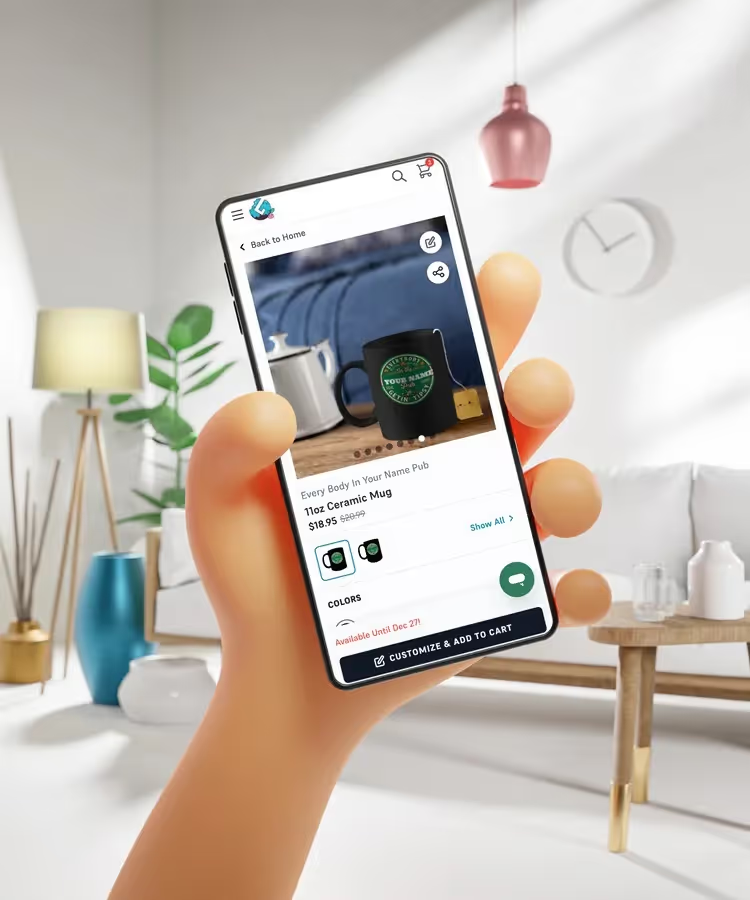
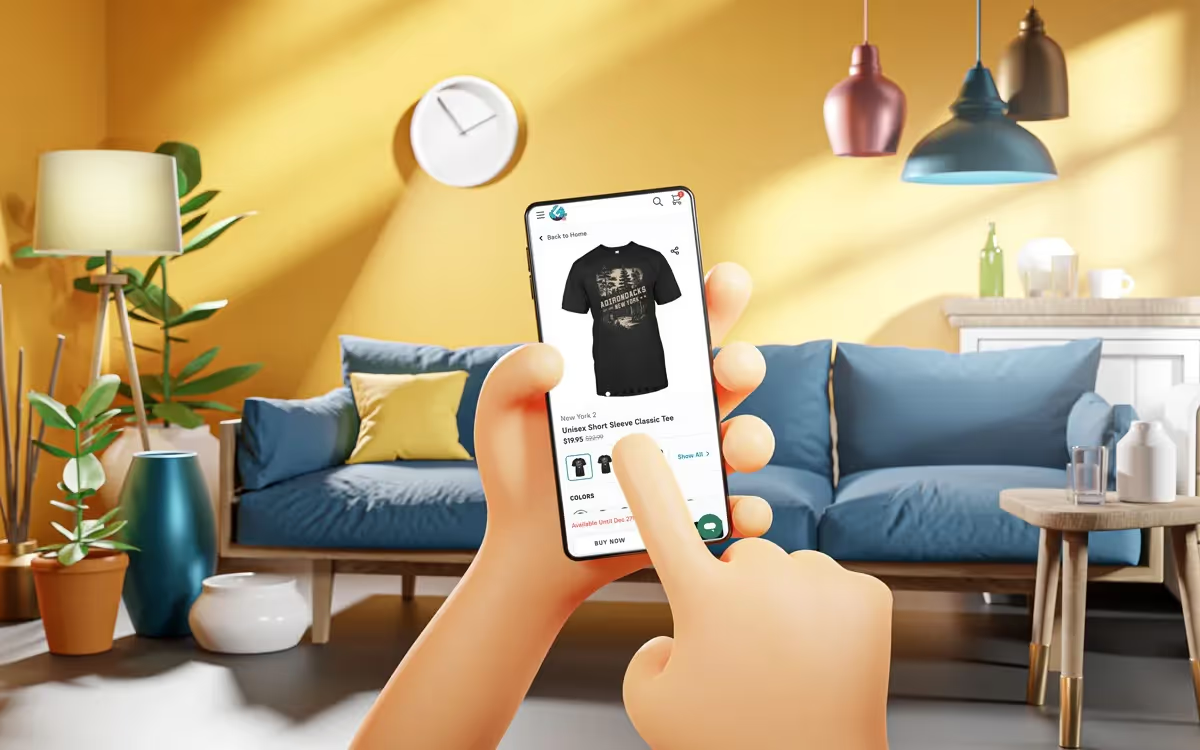
  • Lifestyle Mockups: Mobile shoppers respond well to seeing the product in a real-world context, such as lifestyle mockups for mobile shoppers featuring someone using a mug or wearing a shirt in a relatable setting. This makes the purchase feel more immediate and personal.

Lifestyle mockups for mobile shoppers

To set up a resilient foundation for the next peak season, be sure to review our comprehensive New Year Selling Guide.

Kết thúc

The future of eCommerce is in the palm of your customer's hand. By focusing on mobile friendly print on demand mockups that are fast, clear, and designed with a mobile-first perspective, you are optimizing the single most impactful part of your selling strategy. It's time to stop treating mobile optimization as a checklist item and start treating it as your main design priority.

Ready to take control of your campaigns? Start applying these principles to your listings today and watch your mobile conversions soar. Discover more tips on how to choose the perfect product for your niche on the GearLaunch blog.
Explore & Launch

Master Print on Demand
with GearLaunch

Unlock Print on Demand potential with GearLaunch's ebook! Perfect for beginners and pros, it covers everything you need. Get practical insights and step-by-step guides to boost your business. Access your free copy now!


Mockup

GearLaunch Trends Report

Gear up for a month filled with opportunities to shine!
Mockup

GearLaunch Selling Guides

From helpful tools to insightful resourses, we're here to help you success!